Qeko
Setup Guide
Please complete the following steps:
1. Create a folder named Qeko on your PC
2. Visit:
www.qeko.com
Download Desktop Client:
QekoSyncServer.rar
3. Extract QekoSyncServer.rar
4. Run QekoSyncServer.exe
Backup files will be saved in:
Qeko\upload
Do not move or delete the upload folder
5. Make sure your phone and PC are connected
to the same WiFi network
About
Version: 1.0
Qeko File Backup
Backup photos, videos,documents and other files from Android devices to your PC through WiFi.
www.qeko.com
Privacy Policy
Privacy Policy for Qeko Sync
Last updated: July 2026
1. Introduction
Qeko Sync (“we”, “our”, or “the App”) is a mobile application that allows users to transfer and backup files from their Android devices to their own personal computers.
We respect your privacy and are committed to protecting your personal information.
2. Document, photo, music and video Access
Qeko Sync requests access to document, photos and media files only to provide files backup and transfer functionality.
The App allows users to select documents, photos, music and videos on their Android device and transfer them directly to their own computer.
Qeko Sync does not upload, store, analyze, or process your files on our servers.
Your files remain under your control and are transferred directly between your devices.
3. Information We Collect
Qeko Sync itself does not collect or store personal documents, photos, music, videos or user files.
The App may collect limited technical information through third-party services used to provide advertising and improve application performance.
Such information may include:
Device information
Advertising identifiers
Application usage information
Crash and performance information
4. Advertising Services
Qeko Sync uses Google AdMob to display advertisements.
Google AdMob may collect certain information, including device identifiers and advertising-related information, according to Google’s privacy policies.
For more information about Google’s privacy practices, please visit:
Google Privacy Policy
5. How We Use Information
Information collected by third-party advertising services may be used for:
Displaying relevant advertisements
Measuring advertising performance
Improving application reliability
6. Data Sharing
Qeko Sync does not sell, rent, or share your personal documents, photos or files with any third party.
Information collected by advertising providers may be shared according to their own privacy policies.
7. Data Security
File transfers performed by Qeko Sync occur directly between your Android device and your personal computer.
We do not maintain cloud storage servers for user files.
Users are responsible for maintaining the security of their own devices and computers.
8. Children’s Privacy
Qeko Sync is not designed specifically for children under the age of 13.
We do not knowingly collect personal information from children.
9. User Rights
Users can control access permissions through Android system settings.
Users may disable file access permissions or uninstall the application at any time.
10. Changes to This Privacy Policy
We may update this Privacy Policy from time to time.
Any changes will be posted on this page with an updated revision date.
11. Contact Us
If you have questions or concerns regarding this Privacy Policy, please contact us:
Email: qekosync@gmail.com
Website: https://www.qeko.com
© 2026 Qeko Sync. All rights reserved.
Contact Author
Website:
www.qeko.
Email:
qekosync@gmail.com
Pre-Backup Important Notice
Please read carefully before starting backup:
1. Data Security
Qeko File Backup transfers files only to your own computer.
Your files are NOT uploaded to cloud servers and are NOT stored on third-party platforms.
2. Permissions
To scan and backup files, the APP requires:
• File access permission
• Photo and media permission
Please allow the required permissions.
3. Network Requirements
Your phone and computer must be connected to the same WiFi network.
Recommended:
• Use a stable WiFi connection
• Avoid public networks
4. Device Status
Recommended:
• Battery level above 30%
• Keep the device connected
• Do not force close the APP
5. Backup Time
Backup duration depends on:
• Number of files
• File size
• Network speed
• Computer performance
Large backups may take longer.
6. File Safety
During backup:
• Do not delete files
• Do not move files
• Do not close the server program
7. User Confirmation
Starting backup means you have read
and accepted this notice.
You confirm:
✓ Computer server is configured
✓ Phone and PC are connected to the same WiFi
✓ You understand backup requirements
Terms of Service
Effective Date: August 2026
Welcome to Qeko Sync! Please read these Terms of Use carefully. By downloading, installing, or using the Qeko Sync App (hereinafter referred to as “the App”), you acknowledge that you have read, understood, and agreed to be bound by all the terms below. If you do not agree, please do not use the App.
1. Service Description
Qeko Sync is a tool that helps users back up files from their mobile phone to their personal computer. The App only provides local transfer functionality and does not upload your files to any cloud servers or third-party platforms.
2. User Responsibilities
• You are responsible for ensuring sufficient battery, stable network connection, and not force-closing the App during backup.
• Qeko Sync will never automatically delete, modify, or move any files on your device. All deletion, overwriting, or moving operations are performed solely by you. You should confirm that your data has been successfully backed up before performing any such actions.
• You are responsible for the security of your device and account and for safely storing your backup files.
3. Privacy and Data
• The App only accesses file permissions when you explicitly choose to back up.
• All file data is transferred locally between your phone and computer. We do not collect, store, or share your personal files.
• For details, please refer to our Privacy Policy.
4. Disclaimer
• The App is provided “as is.” We do not guarantee uninterrupted, error-free service or compatibility with all devices.
• We are not liable for backup failures, data loss, or damage caused by network issues, device incompatibility, user error, or force majeure events.
• You are strongly advised to maintain multiple backups of important files.
5. Limitation of Liability
To the maximum extent permitted by law, we shall not be liable for any indirect, incidental, special, or consequential damages arising from the use or inability to use the App.
6. Changes to Terms
We reserve the right to modify these Terms at any time. We will notify you of material changes via notice. Continued use of the App after changes constitutes your acceptance of the revised Terms.
7. Termination
We reserve the right to terminate your access to the App if you violate these Terms or cease using the App for an extended period.
8. Governing Law
These Terms are governed by the laws of the People’s Republic of China. You agree that any disputes shall be subject to the exclusive jurisdiction of the courts located in our place of business.
Disclaimer
Qeko Sync is designed to help users transfer and backup files between their own Android devices and personal computers.
Users are solely responsible for selecting the correct destination folder and ensuring that sufficient storage space is available before starting a backup.
Although Qeko Sync is designed to perform reliable data transfers, no software can guarantee that data loss or corruption will never occur due to factors beyond its control, including but not limited to:
• Power interruption
• Device malfunction
• Storage device failure
• Network interruption
• Operating system errors
• User operation errors
• Third-party software interference
Users are strongly encouraged to keep additional backups of important files before performing any transfer or backup operation.
Qeko Sync will not automatically delete any files from your device.
All operations such as deleting, overwriting, or moving files are entirely decided and performed by the user. You should confirm that the data has been successfully backed up before performing any such actions.
To the maximum extent permitted by applicable law, Qeko shall not be liable for any direct, indirect, incidental, special, or consequential damages arising from the use of Qeko Sync, including but not limited to:
• Loss of photos
• Corrupted files
• Incomplete transfers
• Data recovery costs
• Business interruption
By using Qeko Sync, you acknowledge and accept this disclaimer.
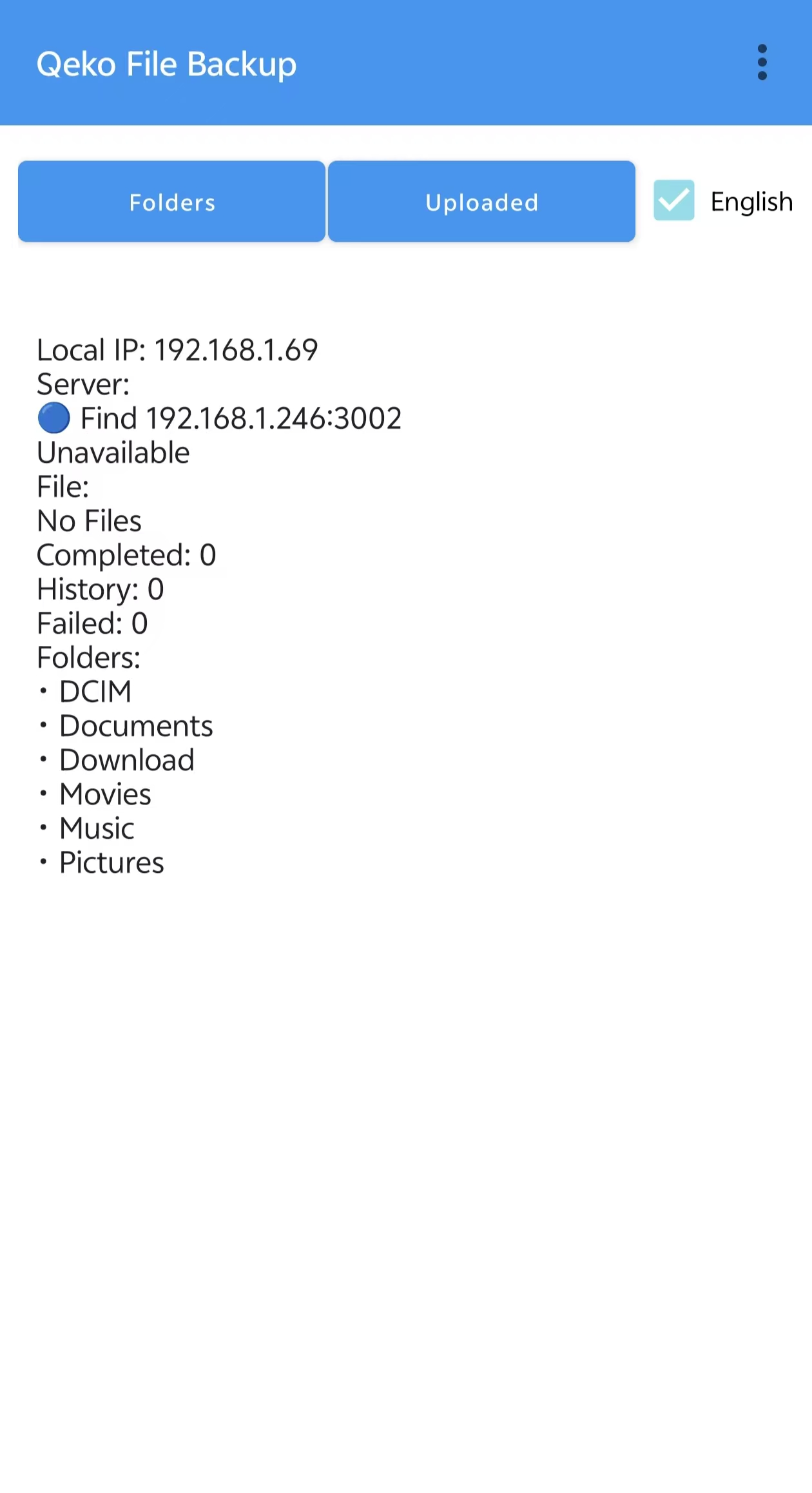
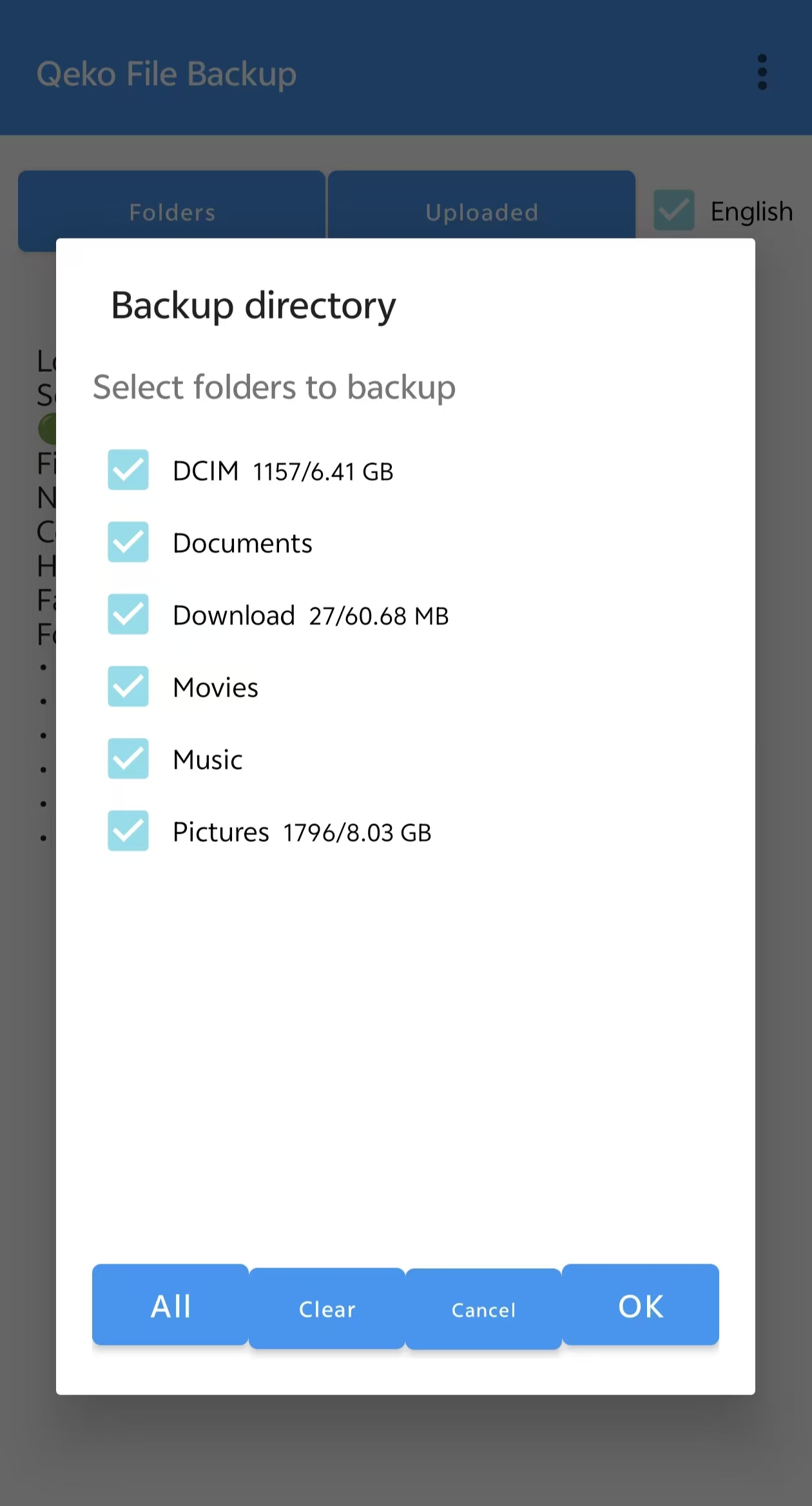
APP Screenshot